Free demo · nothing to install · no account
Try the whole application before you pay for it.
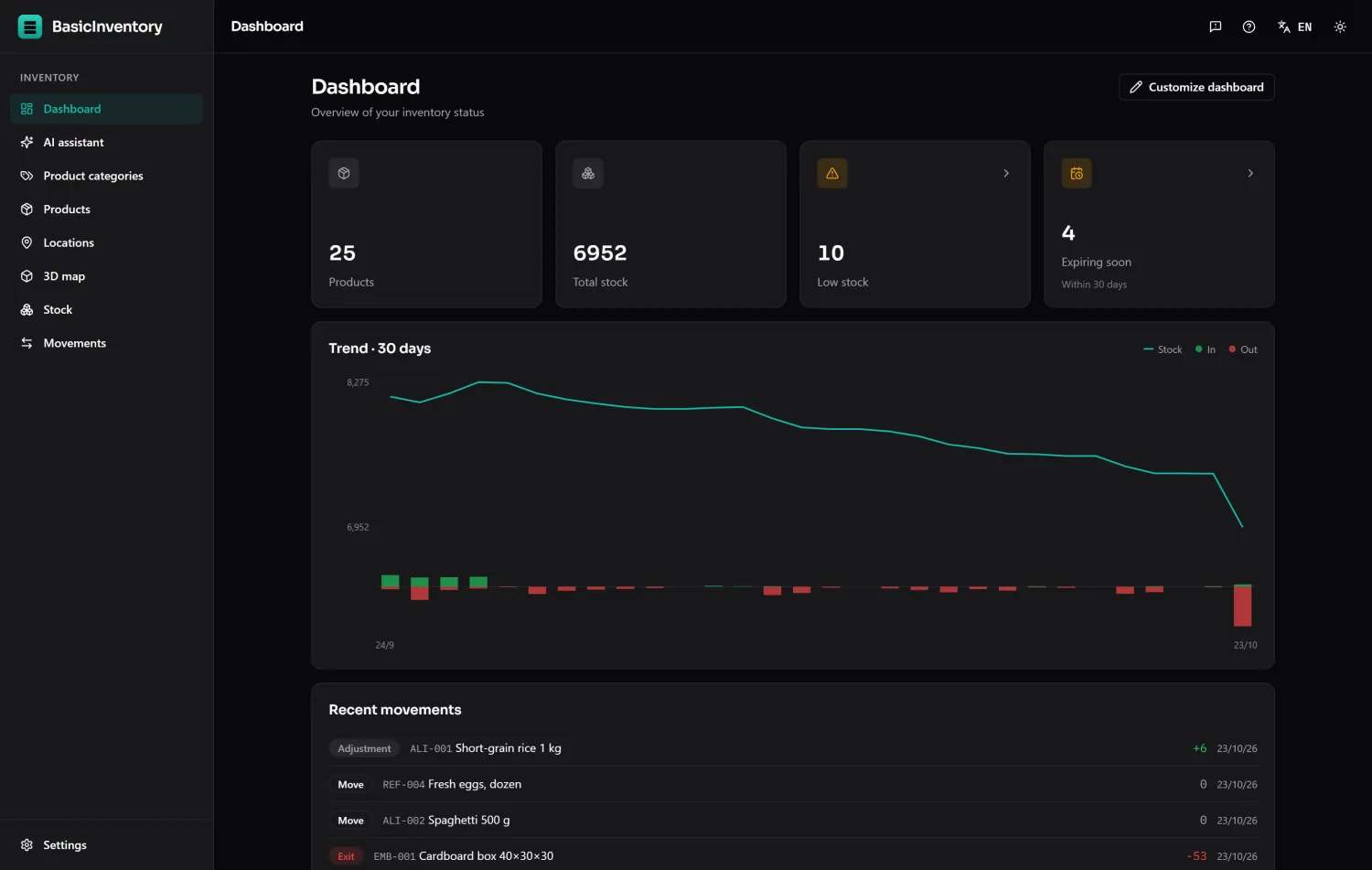
The demo is BasicInventory itself, running inside your browser on a sample warehouse of 25 products, 72 locations and months of movements. Add stock, take it out, move it, filter it, export it, ask the assistant. Break whatever you like: it is your copy and nobody else's.
Opens in a new tab, in the language you last chose or, failing that, your browser's: Spanish or Portuguese if it is set to either, English otherwise — with a sample warehouse in that language. It loads in a second and asks you for nothing.
What you can do
Everything the application does with stock
Not a video and not a click-through mock-up. The same screens, the same rules, the same arithmetic — only the database lives in your tab instead of on your PC.
-
Register real movements
Entries, exits, stock counts and relocations, each one recorded with its quantity, its reason and its date. Take out more than there is and it refuses, exactly as it would in your warehouse.
-
Work by pallets or by boxes
Switch between the two ways of managing stock from the demo bar and watch the whole application change vocabulary. It is the same warehouse underneath.
-
Find things
Filter by product, aisle, lot, date or reason on every list, sort any column and download what you are looking at as a spreadsheet.
-
Add a whole rack at once
Generate an aisle by range, or download the Excel template, fill it in and upload it. You see row by row what will be created and what already exists before anything is saved.
-
Import your catalogue
Download the products template, fill it in and upload it. Existing products show what would change and wait for your decision; missing categories are created with them.
-
Walk the warehouse in 3D
The 3D map draws the sample warehouse from its locations. Walk the aisles with the arrow keys, colour it by occupancy, expiry, activity or stock age, find a product or lot on it, click a shelf to open its stock, and switch to edit mode to move and resize the racks.
-
Ask the assistant
Questions in plain language over your inventory. It needs an API key of your own — see below.
How it works
It runs in your tab, and it stays there
There is no server of ours behind the demo. The application is downloaded once, and everything after that happens inside your browser.
-
01
A sample warehouse loads
The page downloads a small warehouse built exactly like a real one: the same products, locations, lots and history the installed application works with, in the same kind of file it keeps on your disk. It is your copy, with nobody else in it.
-
02
Everything runs locally
Every list, every filter, every movement you register is computed in the tab. Nothing you type is sent anywhere, so there is nothing for us to see, store or lose.
-
03
It lives for the session
Your changes survive a reload and disappear when you close the browser. Start again whenever you like with the reset button in the demo bar.
The assistant
The AI works, on your own key
BasicInventory never ships an API key — not in the product and not here. In the demo you can paste your own (OpenAI, Anthropic, Google or OpenRouter) and ask away.
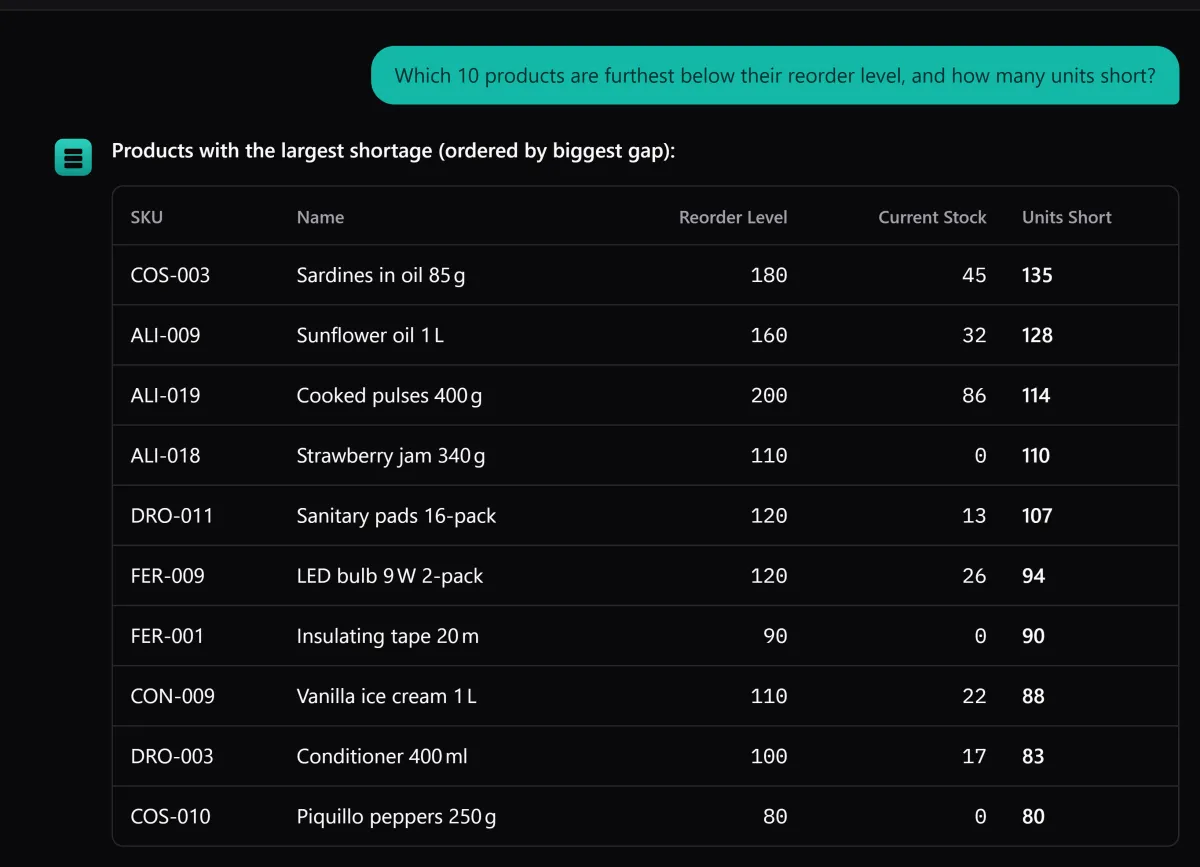
- Your question goes from your browser straight to your provider. It does not pass through any server of ours: we never see it.
- The key stays in the tab and is gone when you close the browser. It is never sent to us.
- The demo environment limits it: here the assistant works with fewer tools than the application, so it can be slower or fall short on a hard question. In the application it runs at full strength.
- You pay your provider for what you use, in the demo and in the application. There is no subscription to us either way.
What the demo cannot show
The honest list
A browser tab is not a Windows PC. These are the parts of the product a demo cannot reproduce, and they are the parts you are actually buying.
-
Your data is not kept
The demo is deliberately a session. The application keeps your inventory in a file on your own disk, for as long as you have the disk.
-
No backups
One-click copies to a folder you choose, automatic copies and restore are part of the application. There is nowhere to write them from a browser.
-
No licence, no settings
Company name and logo, language, time zone, updates and the bug report live in Settings. In the demo that screen explains itself instead.
-
It runs in a tab, not on your PC
This is not a cut-down version — it is the application, put in a browser so you can try it. What changes is where it lives: installed, you open it from the Start menu, it works with no internet at all, it keeps your inventory on your own disk and it updates when you decide.
Demo and application, side by side
| The honest list | Demo | Application |
|---|---|---|
| Where the data lives | Your browser tab | A file on your PC |
| How long it lasts | Until you close the browser | As long as you keep it |
| Works offline | No | Everything, always |
| Backups and restore | No | Yes, to your own folder |
| Settings and licence | No | Yes |
| AI assistant | Your key, limited by the demo | Your key, at full strength |
| Price | Free | One payment, no subscription |
See it for yourself, then decide
The demo costs you nothing and asks you for nothing. If it does what your warehouse needs, the licence is one payment and it is yours.
Windows 10 & 11 · buy and install in one step from the Microsoft Store. No key to enter.