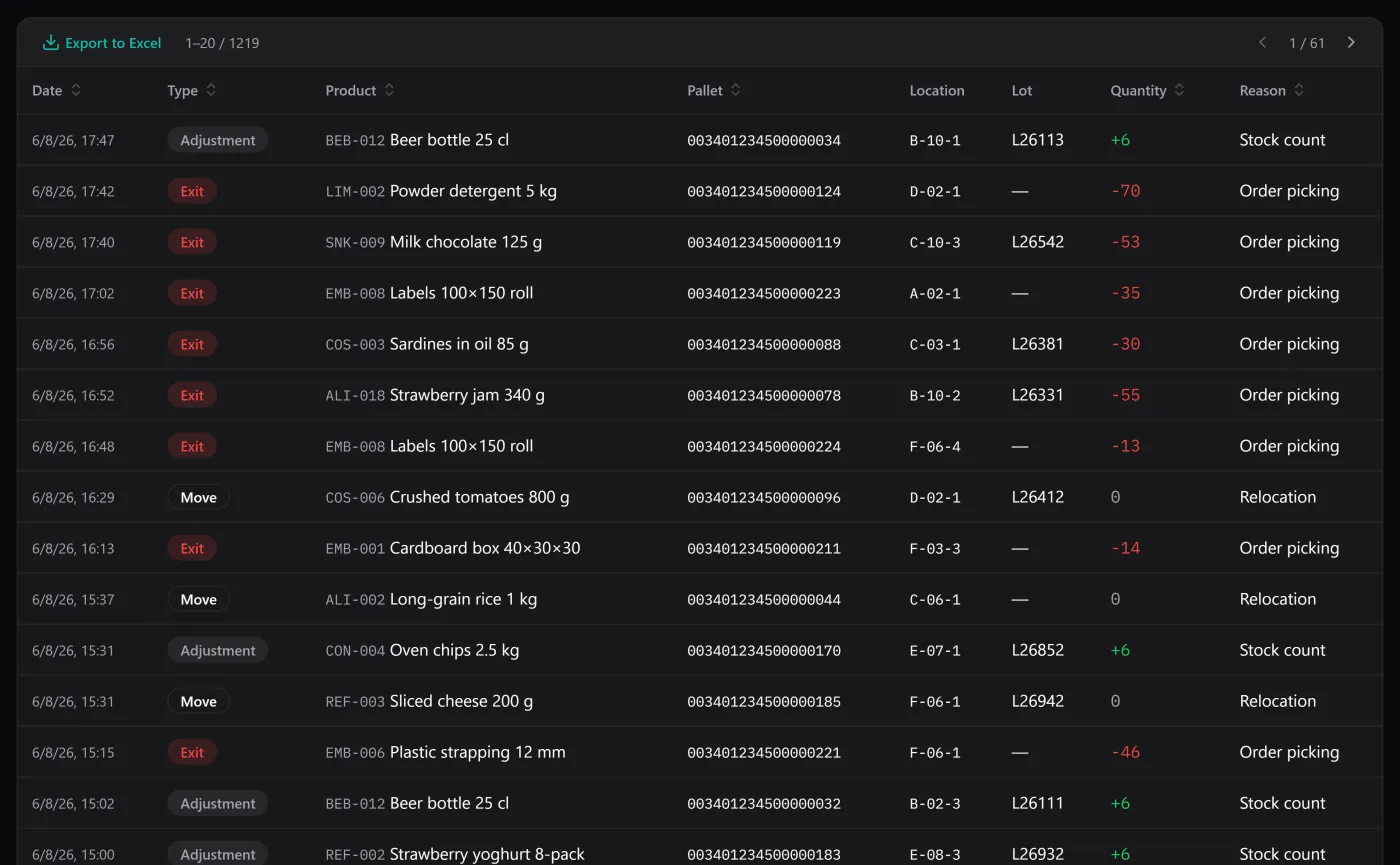
Offline inventory software runs on your computer and keeps your stock in a file you hold, so it works whether or not there’s a connection — no login, no server, no outage that takes your warehouse down with someone else’s. It sounds old-fashioned until the day the broadband drops during a delivery, and the cloud tool everyone else uses is a spinning loader while the lorry waits. This is what offline-first actually buys you, and the one honest exception in this app.
Offline-first means the network is optional, not required
The distinction that matters: some tools can cache a bit for offline use; an offline-first tool is built the other way round — it works entirely on your machine, and the network is something it reaches for only when you explicitly ask. BasicInventory is the second kind. The database is a single local file, the app reads and writes it directly, and every core job — products, locations, stock, movements, lots, backups — happens with the Wi-Fi off.
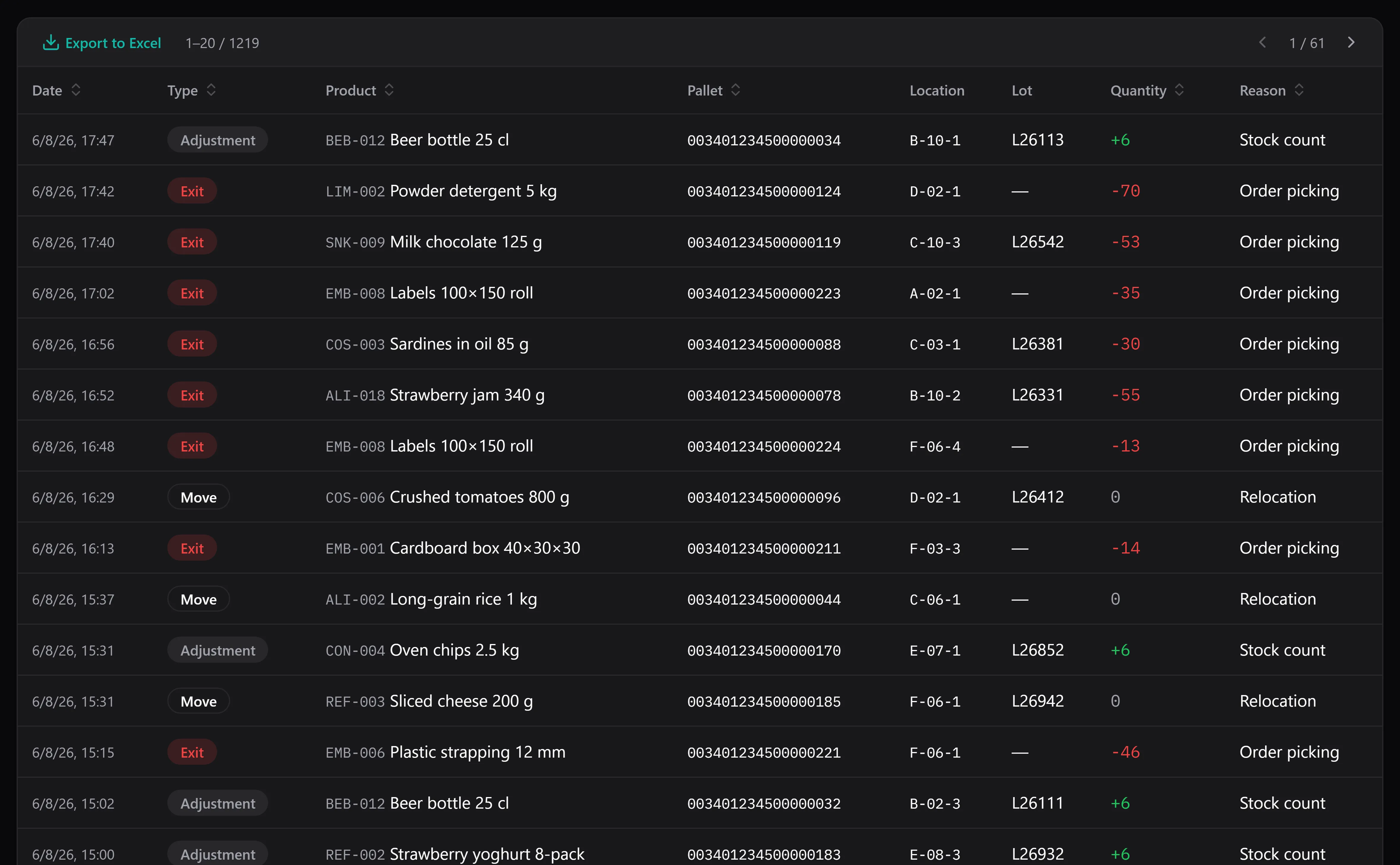
Entries, exits and adjustments — recorded, filtered and exported without a connection.
That means no “reconnecting…” mid-task, no session that expires while you’re counting a shelf, and no dependence on a provider’s uptime for your own numbers.
Your data lives with you
Offline and ownership go together. When the app is local, your inventory isn’t rows in someone else’s database subject to their terms and their pricing — it’s a file in your user folder that you can copy, move and back up wherever you point it: an external drive, a USB stick, a synced folder if you choose.
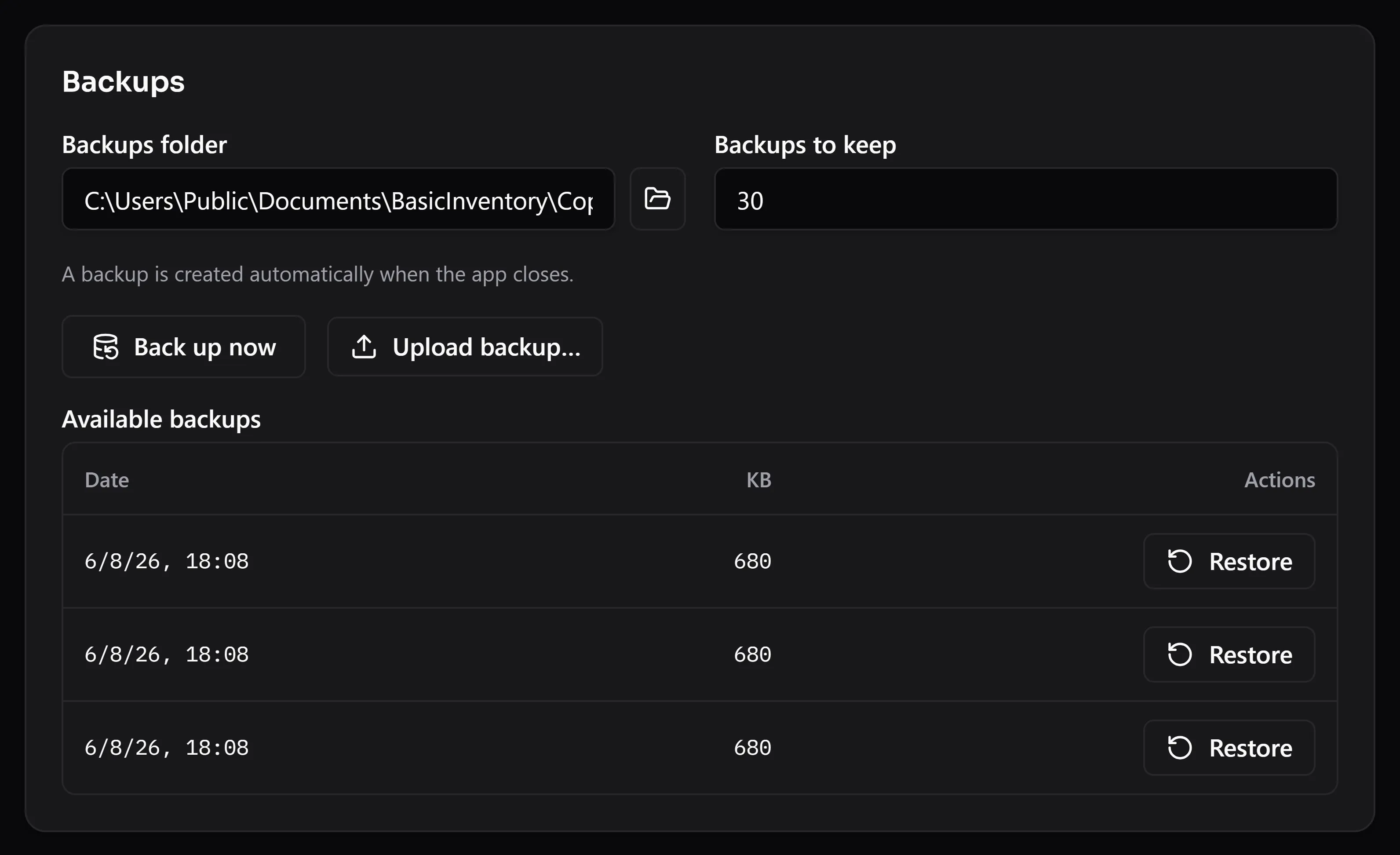
Backups are a button, not a service. The copy is yours and goes where you say.
There’s a privacy dividend too. With nothing phoning home, nobody can see whether you use the app, how much stock you hold or when you’re busy. That’s not a marketing line; it’s a structural consequence of there being no server to collect anything.
The one online-optional part: the AI assistant
Here’s the honest exception, and it’s exactly one. Everything works offline except the optional AI assistant, which by nature needs a connection — it sends your question and the stock rows needed to answer to the provider whose key you entered (OpenAI, Anthropic, Gemini or OpenRouter), and reads the reply back. It only reads and answers; it never changes your stock. It’s off by default and costs cents per question on your own account.
So the shape is clean: the assistant is the single feature that reaches the network, and it does so only when you ask it a question. Never switch it on and the application is fully offline, no compromise. Switch it on and you’ve added one online convenience on top of an otherwise local tool — your choice, reversible any time.
The trade-offs, stated plainly
Local-first isn’t free of downsides, and pretending otherwise would be the kind of overselling this app avoids:
- You own the backups. No data centre is silently keeping a copy. If your disk dies and you never made a backup, that’s on you — which is why backups are one button and can run automatically on close.
- It’s single-user. One machine, one file. Two people can’t both write to it at once over the internet, because there’s no server in the middle. For an owner-run business that’s simplicity; for a distributed team it’s a genuine limit, and worth knowing before you buy.
- It’s Windows-only. Windows 10 and 11, 64-bit. No macOS, no web app for the product itself (the browser demo aside).
If those fit how you work, they’re the price of a tool that never holds your data hostage.
Local, and bought once
Offline pairs naturally with owning the software rather than renting it — both are about not depending on a vendor’s servers or invoices to keep working. If that’s the appeal, inventory software with no subscription is the companion read. And the best test is the demo: ironically it runs in your browser, but it shows the same application you’d install and run with the network off. When you’re ready, it’s a one-time purchase — local data, local tool, no meter.