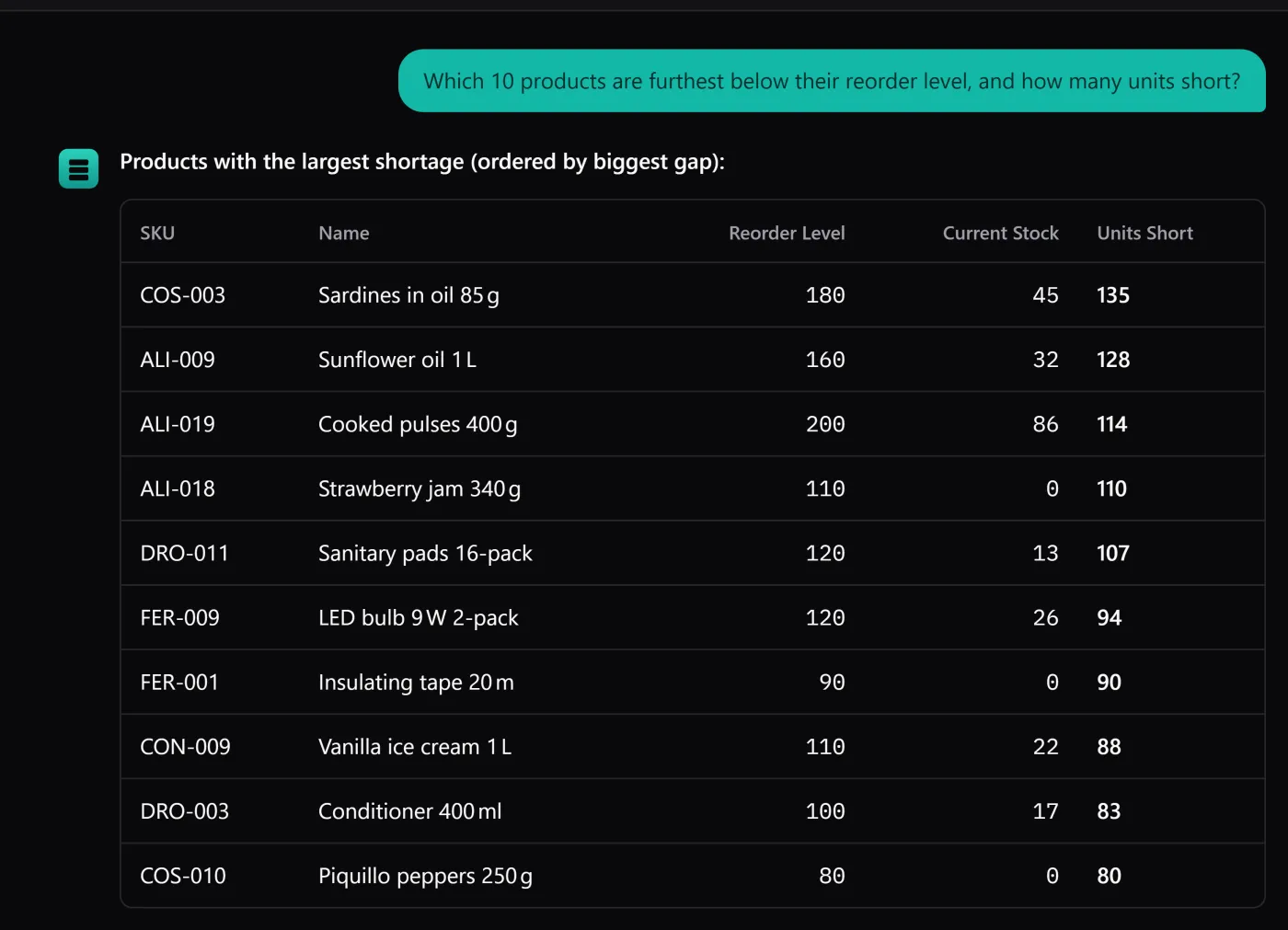
Most software that bolts on AI does one of two things: it raises the price for everyone, or it adds a monthly fee for the “AI plan”. BasicInventory does neither. Its assistant runs on your own provider key — you bring a key from a service you already pay, and the AI is billed to your account, not ours. This piece explains why that model is cheaper and more private, and how to switch it on. For where it sits in the product, the AI inventory software hub is the overview, and how the assistant works covers the read-only design.
What “bring your own key” means
An API key is a credential a provider gives you to use their models programmatically. Instead of us reselling AI to you with a markup, you paste a key from a provider you choose, and BasicInventory calls that provider directly on your behalf. There are four to pick from:
- OpenAI — GPT models, on your own OpenAI key.
- Anthropic — Claude models, on your own Anthropic key.
- Google Gemini — Gemini models, on your own Google key.
- OpenRouter — one key that routes to many models, if you would rather not hold several.
You need exactly one. Pick the provider you already have an account with, or open a new one — it takes a few minutes and a card.
Why it is cheaper
There is no subscription for the assistant and no markup. When you ask a question, the cost is whatever your provider charges for that request — in practice a fraction of a cent to a few cents, depending on the model and how much of your data the answer needs. We take no cut.
Compare that to a flat monthly “AI add-on”. If you ask the assistant three questions a week, a per-question cost of cents is a rounding error, and you pay nothing in the months you do not use it. A subscription charges you the same whether you ask a hundred questions or none. Paying the model maker directly, per question, is simply the honest price — and it keeps the app consistent with its one-time purchase: we did not turn a desktop app you bought once into a service with a meter we control.
Why it is more private
Your key is yours. It is stored on your machine, encrypted with AES-256-GCM, and the encryption key lives outside the database — so a backup you hand to support carries your inventory but not a usable copy of your credential.
Just as important, nothing routes through us. There is no BasicInventory account, no server in the middle and no telemetry. When you ask a question, the question, the conversation so far and the inventory rows needed to answer it go straight to the provider whose key you entered, under your agreement with them — and nowhere else. We could not read your questions if we wanted to, because they never touch us.
How to add a key
- Get a key from your chosen provider’s dashboard — OpenAI, Anthropic, Google AI Studio or OpenRouter each issue one from their account settings.
- In BasicInventory, open the assistant’s settings, pick that provider and paste the key. It is encrypted on disk as soon as you save it.
- Ask a question. That is the whole setup — no account with us, no registration.
If you would rather not spend anything to start, OpenRouter has free models: the five-minute free walkthrough points the assistant at one, no credit card needed.
Until you do this, the assistant is not there: it is off by default, sends nothing and costs nothing. It is also the one part of the app that needs an internet connection; everything else works offline.
The honest part
Bringing your own key means the AI is only as good, and only as available, as the provider you chose — and if their service is down or your key runs out of credit, the assistant stops until you fix it. That is the trade for not being locked into ours. And the assistant stays read-only whichever provider you use: it answers questions about your stock, it never changes them.
If that sounds right, the fastest way to judge it is without a key at all: the live demo runs the assistant in your browser on a sample warehouse. When you are ready to use it on your own data, the app itself is a single payment, and the AI is cents on top, only when you ask.