Anything thrown away because it expired has already been paid for. It went through the order, the invoice, the shelf and the back room, and it leaves through the door without having sold anything. In a small pharmacy that is a quiet expense: it shows up on no screen, nobody counts it, and it gets discovered with the box already in your hand. The fix is not checking more often. The fix is a system for expiry control — the date sits on a screen before anyone has to go and look for it.
The honest part first: this is not your pharmacy system
BasicInventory does not dispense, does not bill prescriptions, does not connect to any medicine verification service or pharmacy network, and does not read barcodes. If what you need is the pharmacy management system itself, this is not it, and I would rather say so in the first line.
What it is: an offline desktop application for the physical side of the stockroom. The back room, the parapharmacy shelves, the drawers: what is there, where it sits, which lot it carries and when it expires. That is exactly what a dispensing system does not hold, because it was never built to.
Why a date gets missed
When an expiry date slips past, the failure is almost never the person’s. It is the system’s, and the system is “remembering”.
Checking by hand has three weak points, and all three break in the same month:
- It needs a spare afternoon. It happens on the quiet afternoon, and when there is no quiet afternoon, it does not happen.
- It needs a particular person. Whoever keeps the dates in their head is the one who checks them. On their day off, nobody knows what is due.
- It leaves no trace. Nobody knows what was checked last time, so it gets checked twice or not at all, and both are tiring.
A system does the opposite: it asks for no memory, needs no spare afternoon, and leaves a trace.
Expiry date, expiration date, best before
A quick note on wording, because all of them get used at the counter. Expiry date, expiration date, use-by: the same field, the day after which that unit cannot be dispensed or sold. It sits next to the lot number, which is a different thing — the lot identifies the batch the manufacturer made, the expiry says how long it is good for. Two fields, one box each, and neither can be worked out from the other.
The system, in three habits
- Turn lot and expiry on for the products that carry them. It is done product by product: stock of a product that requires a lot and a date cannot be registered without them, so the empty field stops being an option. A toothbrush or a box of gloves stays simple, which is how it should stay.
- Give every spot an address. The app uses aisle · column · height —
A-04-2— and a numbered wall of drawers is exactly that: a grid. “Where is it?” becomes a search on the screen instead of a walk to the back. - Always pull the shortest date. That is the FEFO discipline: first expired, first out. You do not need a big warehouse for it to matter; two boxes of the same product, one of them from an earlier order, is enough.
With those three habits in place, expiry control stops being a task and turns into a filter.
What to check weekly, and what monthly
Once the data is in, the routine settles into this:
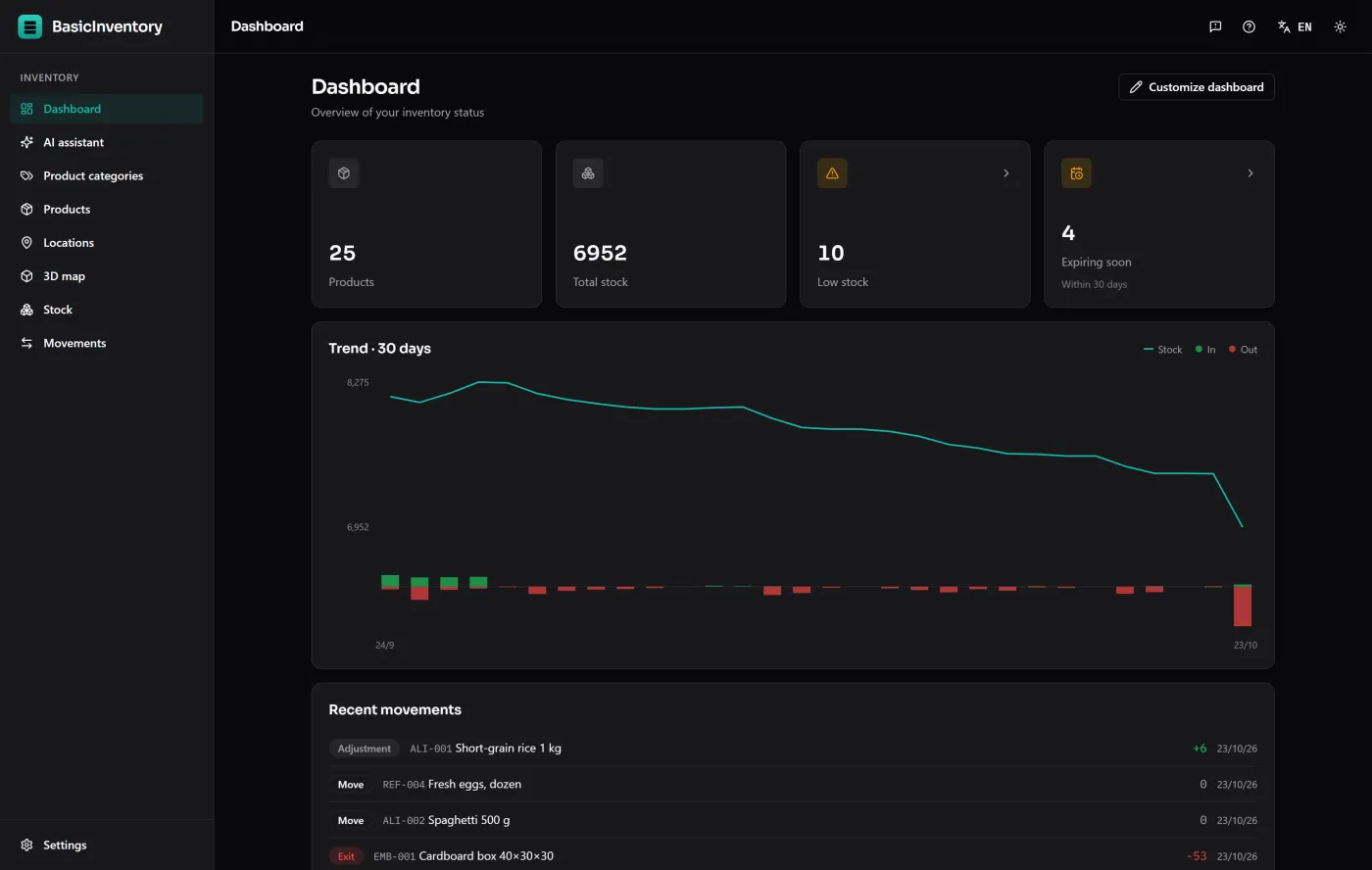
Every week, on opening. The dashboard counts what expires within the next thirty days, and the stock list filters to exactly that: every line with its product, its lot and its location. It is one look. What appears there is what has to move, go back to the supplier if returns are accepted, or be pushed to the front so it leaves first.
Every month, with more time. The same thing over a longer horizon: what expires this quarter, what has stopped moving, and what you over-ordered last time. That is the list worth having in front of you before placing an order, because the stock that expires is nearly always the stock that was ordered without looking at what was already there.
Every time a delivery arrives. The entry is registered with its lot and its expiry date, and it goes into its spot. It is half a minute a line, and it holds everything else up: if the data does not go in here, no screen is going to invent it later.
The full sector case, with what it does and what it does not, is in pharmacy stockroom inventory.
What already expired leaves a trace too
Pulling a box is not erasing a number. It is an exit with a reason, recorded with the date, the lot and the location it touched at the time, in the movement history. That is useful for two quite different things: knowing how much is really being written off — almost always more than anyone remembers — and being able to explain six months later why the count of a line dropped, without depending on somebody’s memory.
If what you pulled has to wait — a supplier return, a batch withdrawal — the clean way is to give it a spot of its own: create a quarantine location like any other and move the stock into it. A move between locations is a movement too, so the box does not vanish from the inventory; it changes place, and the when and why are on the record.
Once write-offs leave a trace, the conversation with the supplier and the decision about how much to order next time stop being a feeling.
What you are not going to put in the app
A system is useful when you stop trying to fill it completely. Three limits worth knowing before you start:
- There is no medicines-catalogue import. You can load your own product list from an Excel template, but there is no connection to a national medicines catalogue — and you do not need one. Put in what actually lives in the stockroom: the overstock, the fridge, the parapharmacy, the dietary and orthopaedic lines. The counter stays in the system that already runs it.
- There is no scanner. The lot and the date are typed when the entry is registered. On a normal delivery that is half a minute a line; if your daily intake is two hundred lines, this is not the tool.
- There are no prices. BasicInventory holds no price, no invoice and no customer, so a valued inventory does not come out of here: it comes out of exporting the list to Excel and pricing it in your accountant’s spreadsheet.
Or just ask it
With the optional AI assistant switched on, those reviews can be asked in plain language: “what expires this month?”, “which lots of this product do I have, and with what dates?”, “what is below its reorder level?”. It reads your inventory and answers with a table; it never changes anything. It runs on your own provider key, at cents per question, and it ships switched off until you turn it on. If you would rather not, the same answers are one filter away, fully offline.
Where it fits and where it does not
BasicInventory is the physical stock control for the room behind a pharmacy counter: lots, expiry dates, locations, reorder levels and a record of every change, running with no internet on the computer itself. It is not the pharmacy management system: it does not dispense, does not bill prescriptions, does not verify medicine authenticity, does not read barcodes, and it is one person at a time on one Windows computer.
The quickest way to see whether it fits is the demo: the whole application in your browser over a sample warehouse, no account and nothing to install. If it fits, it is a one-time purchase on the Microsoft Store — no extra monthly fee on top of what you already pay.