An AI assistant is only as useful as the questions you think to ask it. BasicInventory’s assistant reads your own stock and answers in plain language, so the best way to learn it is to see the questions it is genuinely good at. This is that list — real AI inventory questions, grouped by the job they belong to, each with the shape of the answer you get back.
One thing to set first, because it decides everything below: the assistant can read and only read. It queries your inventory to answer; it cannot create a product, change a quantity, move a pallet or delete a line. So every good question is a question about what is already true — not a command to change something. For the full picture of how it fits the product, start at the AI inventory software hub, or read how the assistant works.
Reordering: what is low and by how much
These are the questions you open the app for on a Monday morning.
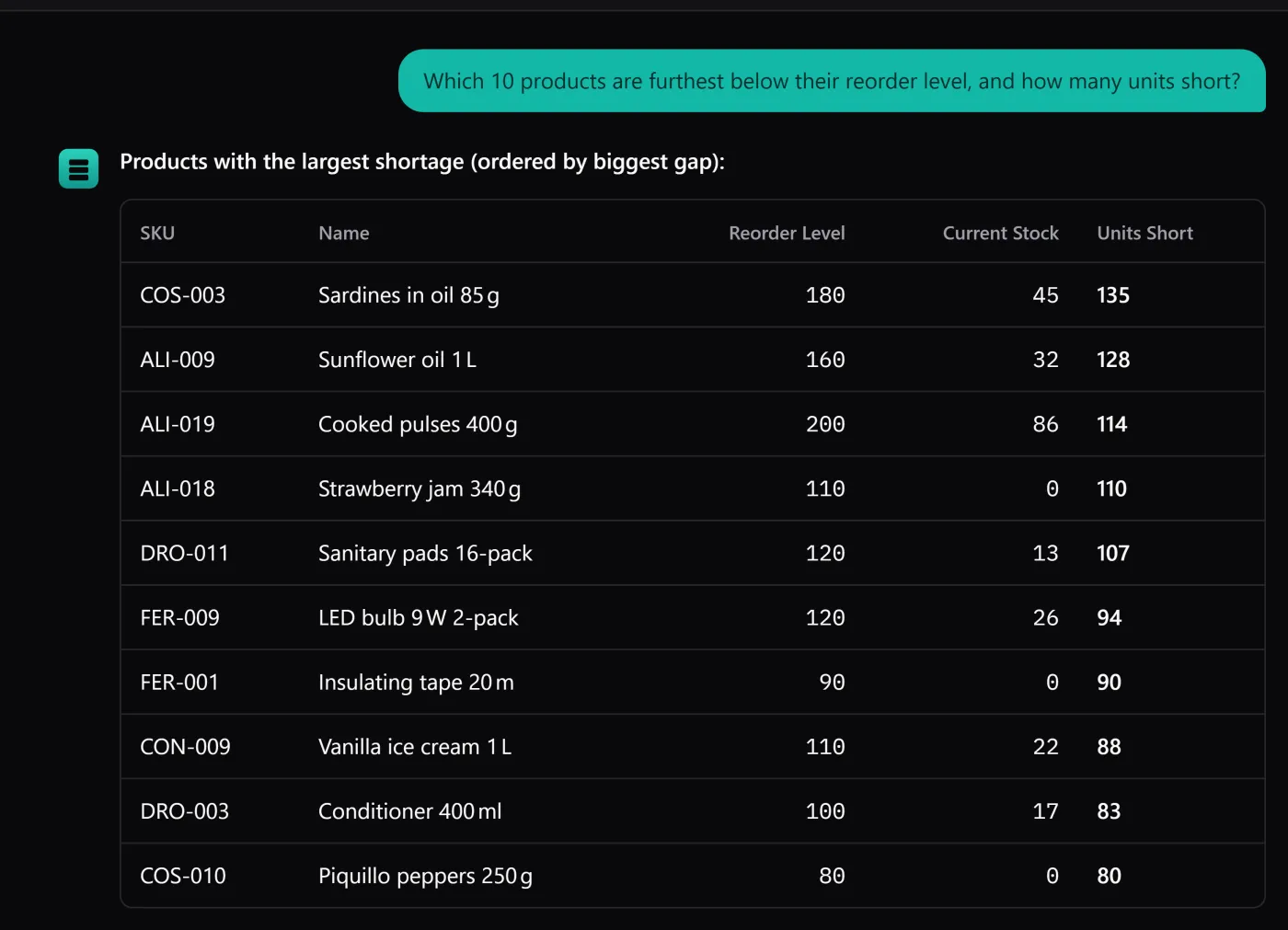
- “Which items are below their minimum stock?” — you get the list, each line with its current quantity and the shortfall against the minimum you set.
- “What do I need to reorder, and by how much?” — the same list, phrased as the gap to fill, so it reads like a shopping list rather than a report.
- “How many units of product X do I have in total?” — a single number, summed across every location and lot it lives in.
The assistant is reporting the reorder levels you set per product. It will not invent an order quantity or forecast demand — it tells you what is under the line, and you decide what to buy.
Expiry and FEFO: what to move first
If anything you hold has a date, this is where the assistant saves the most walking.
- “What expires this month, grouped by location?” — the lines due within the window, sorted so you can walk the shortest route.
- “Which lot should I pick first to avoid a write-off?” — the earliest-expiring lot in stock, which is exactly what first-expired-first-out asks for. (The mechanics of that are in the FEFO guide.)
- “Is anything already past its date?” — the lines that have slipped, before a customer finds them.
Locations: where things are
- “What is sitting in aisle B right now?” — the stock at those coordinates, product by product.
- “Where is product X, by aisle and column?” — the positions it occupies, so a picker reads a location instead of guessing.
- “Which locations are empty?” — useful when you are deciding where to put an incoming pallet.
Movements: what happened
Because stock is the sum of its recorded movements, the history is fully answerable too.
- “What left aisle B last week?” — the exits from that location in the period, dated, with lot and reason.
- “What entries were recorded yesterday?” — the goods-in for the day.
- “Which adjustments happened this month, and why?” — the corrections and their reasons, which is where an unexplained figure usually gets explained.
How to ask well
Two habits make the answers better. Be specific about the window — “this month”, “last week”, “today” — because a bounded question gets a bounded answer. And check the reply against the screen when it matters: the interface itself reminds you, under the input box, that AI can get things wrong and an answer is worth a glance before you trust it.
What you will notice is that none of these questions ask the assistant to do anything. That is the point. It is the fastest way to interrogate your stock without learning which screen and which filter — and the moment you want to act on the answer, you do that yourself, in the app.
The quickest way to feel it is the live demo: the whole application, assistant included, on a seeded warehouse — no key, no install. Ask it one of these and see the answer come back.